Wednesday, July 29, 2020

Stellarium remote fun

I LOVE open source software! 
Stellarium sky


Stellarium is one of the top open source software packages for desktop sky viewing. Since I won't be presenting shows in a physical planetarium any time soon, I figured I should work out how to present better online.

Stellarium has a remote web interface plugin that is pretty easy to set up.  So I'm using my giant monitor for presentation and my little monitor for controls and for programming.


I'm clumsy with the on-screen menus, so having them on a separate monitor is great! Some actions take a while to set up, so I tried a little scripting to automate some stuff.


And then I decided that rather than hunting through pull-down menus for my little scripts I should make some buttons for scripts and actions.
So I started modifying the html. 


And relied on the kindness of a stranger's blog post to expose the functionality.


Thankfully I found an Atom package to make that json readable.


I don't often spend enough time in any given language to get good at it. But in this effort, I'm digging into Stellarium scripting/javascript, html, and to find the right language for scripting actions I found myself searching the source code for the project itself.


Sunday, July 19, 2020

Trig Function-Driven Animation in Blender 2.83

Another fine video tutorial from Ron Proctor!


Check it out! You know you want to...
https://youtu.be/uTZ9el8st5c


Tuesday, June 30, 2020

3D stereoscopic test

Years ago I used Blender to make a stereographic test. It took forever to render a tiny, very low resolution test so I had to drop it at the time. (http://youtu.be/MWpsBb3enek if you want to see it.)


Now it is 2020 and I had some time last week. I couldn't find the blend file from my original example, so I made a new example, again using Blender.  

Really should be viewed with VR goggles, and you'll need to tell YouTube to use a higher resolution setting, but the compression wasn't too kind. Even so, I'm encouraged to continue.


I'm still looking for a way to inject the needed metadata on Linux. I had to do this on a Windows machine because the injector is only for MacOS and Windows.


BTW, I had to render this twice because originally I rendered it side-by-side (SBS) but the YouTube Metadata Injector only accepts top-and-bottom (TAB).
Here's the same frame in each format:

3D stereoscopic test frame, SBS
3D stereoscopic test frame, SBS.
3D stereoscopic test frame, TAB


Thursday, June 25, 2020

A stitch in time (or space)

Since the planetarium will be operating online for the foreseeable future, I've been working on ways to give everything a nice local touch.

One way has been to make custom panoramas for use with Stellarium.

William M. Staerkel Planetarium             
Parkland College
Champaign-Urbana Astronomical
Society Observatory


We should be able to use them with our Digistar 6 in the dome when we are able to reopen. I like making content that can be used on different platforms


I used a DSLR with a fisheye lens on a tripod to get a good selection of overlapping images, making sure to have some shots with objects of interest centered.


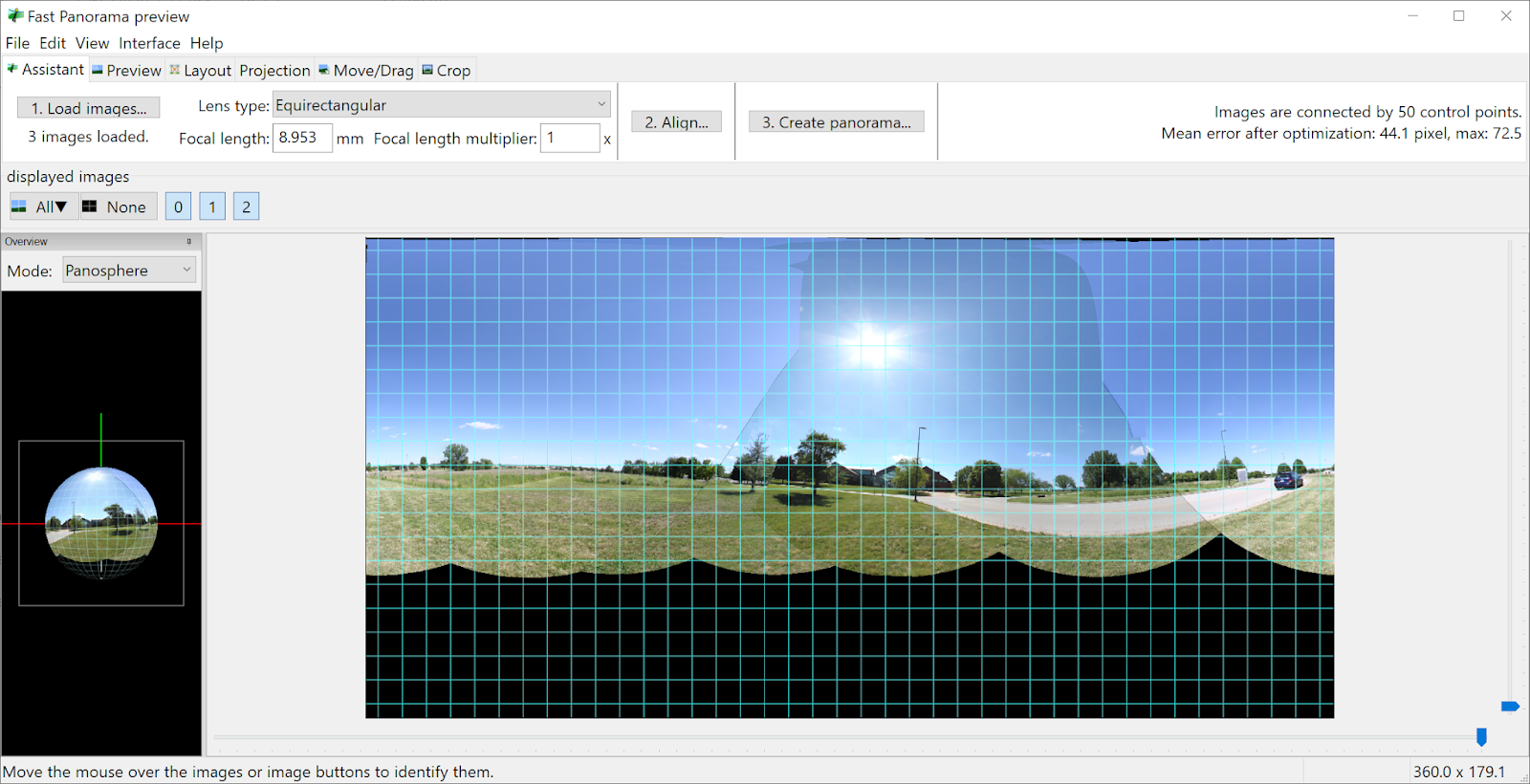
I used Hugin to stitch the images. It's not super automatic, but there are builtin tools for aligning and for masking out troublesome spots.


Finally, I use Gimp to fix up the nadir a bit and to get rid of the sky. I also fix up any small stitching errors that I missed earlier. Some distant power lines and light poles will end up cut in the process, but I can live with that.


It's a messy process, but I use brightness and contrast settings and sometimes desaturation to get a nice mask. I work in smaller sections and then combine them.


And I usually have to over-mask the vegetation because I don't have the patience to cut out around each leaf.


Don't forget to check your edge seams. Layer > Transform > Offset and select "By width/2" with "wrap around" selected for Edge Behavior.