Showing posts with label Hugin. Show all posts

Thursday, June 25, 2020

A stitch in time (or space)

Since the planetarium will be operating online for the foreseeable future, I've been working on ways to give everything a nice local touch.

One way has been to make custom panoramas for use with Stellarium.

William M. Staerkel Planetarium             
Parkland College
Champaign-Urbana Astronomical
Society Observatory


We should be able to use them with our Digistar 6 in the dome when we are able to reopen. I like making content that can be used on different platforms


I used a DSLR with a fisheye lens on a tripod to get a good selection of overlapping images, making sure to have some shots with objects of interest centered.
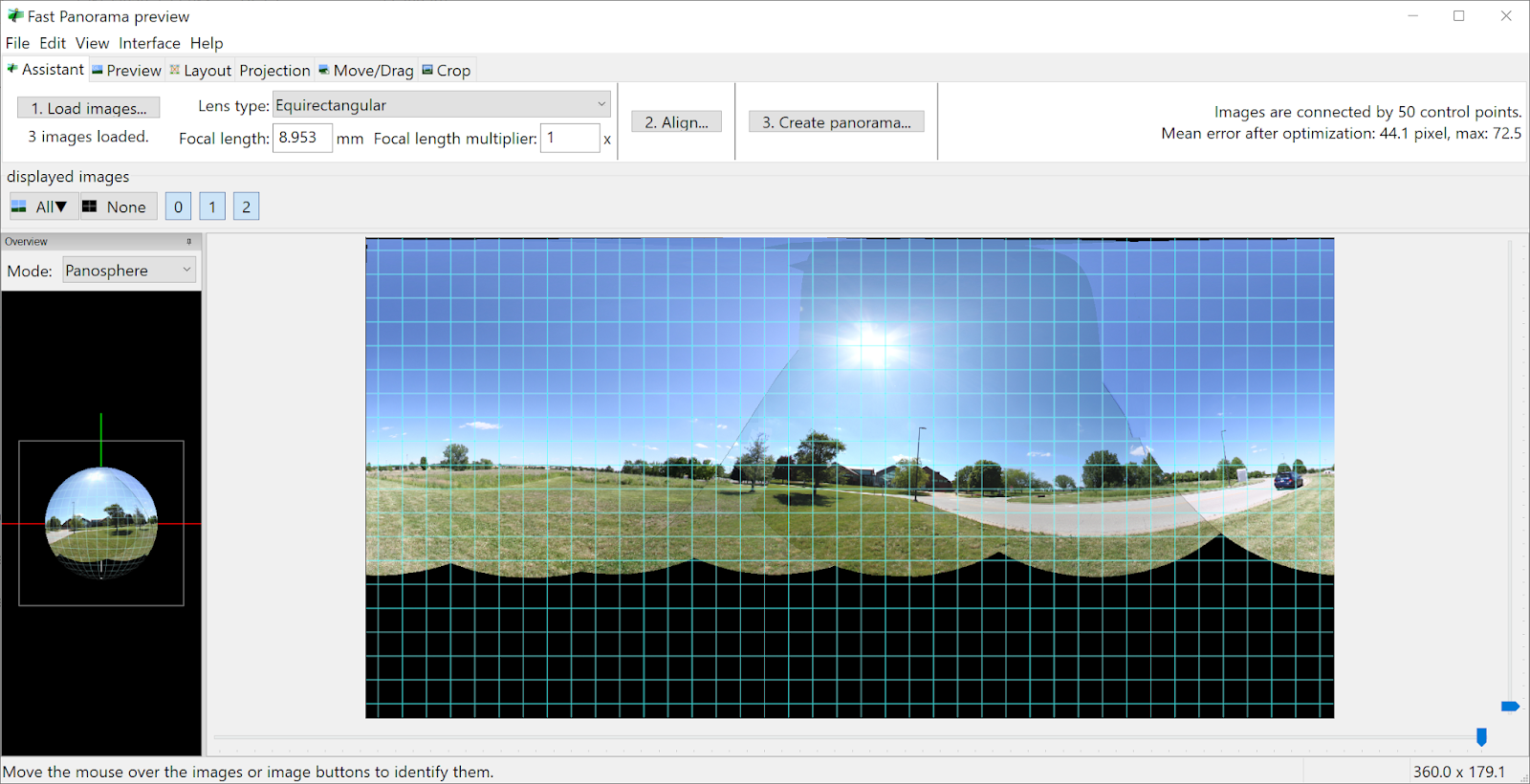


I used Hugin to stitch the images. It's not super automatic, but there are builtin tools for aligning and for masking out troublesome spots.


Finally, I use Gimp to fix up the nadir a bit and to get rid of the sky. I also fix up any small stitching errors that I missed earlier. Some distant power lines and light poles will end up cut in the process, but I can live with that.


It's a messy process, but I use brightness and contrast settings and sometimes desaturation to get a nice mask. I work in smaller sections and then combine them.


And I usually have to over-mask the vegetation because I don't have the patience to cut out around each leaf.


Don't forget to check your edge seams. Layer > Transform > Offset and select "By width/2" with "wrap around" selected for Edge Behavior.


Thursday, May 23, 2019

Final(ish) update for Hugin and Blender Eevee


Additional testing held up. Distant fuzzy stuff at the edges blended nicely.


As expected, anything near intersection edges with glowiness would blend oddly, although not nearly as bad as I thought it would be.

That means rendering out separately the things to have glow applied and then do glow in compositing after stitching.

This will require serious planning but will still be worth it for the speed advantage with Eevee.

So in conclusion, I can happily add Eevee + Hugin to my production workflow.

Saturday, May 18, 2019

Hugin and Blender Eevee Fulldome Master Update

It worked!

Recall that I was testing to output 6 cube faces from Blender 2.8 using the super-fast Eevee render engine. Instead of 90 degrees, they covered 110 degrees so that Hugin would blend the edges.


It worked originally BUT there was a problem with the enblend program that put strange artifacts when run from the command line. Turns out that there is a newer way to use Hugin from the command line, a program called hugin_executor -BUT it didn't allow for specifying input filenames from the command line.

Sooooo... I set up the script in Linux to copy the 6 cube sides to a scratch folder and rename them to the filename in the PTO file. Then it blends the 6 images into a fulldome master file and moves onto the next frame number in the sequence. 

My script needs cleaned up a bit and it isn't pretty to look at. But it works and I can set it going and walk away from it while it does all the work. 

Now I need to test it with a variety of scene types to see how the seams turn out. Even if I can't use this for all cases, it will still work for enough situations to have made this worth my while.

I'll keep updating on this, and will share the scripts and make a tutorial or how-to if there is enough interest.